Have you ever stopped and asked yourself: what's my biggest challenge in Logistics?
Is it the constant race against time, scattered resources or missed deliveries? Maybe it's inefficient routes, cluttered interfaces or juggling it all at once.
Whatever it is, you’re relying on the software you use, to keep it all together, right? And that software is supposed to drive measurable results.
This begs another question: what type of software type should I go for my business in logistics?
Research by McKinsey and Gartner highlights that companies using custom logistics software, complete tasks up to 30% faster, cut workflow errors by 25% and can achieve an ROI of 150–200% within three years.
As for the SAAS solutions, they do have their perks like: fast onboarding and prebuilt features.
But as time passes and your business starts to scale, those same tools will force you to go about with workarounds and waste some precious time here.
There is no easy way out when it comes to choosing the right tools. But now it's the time to make a choice that will impact the future of your workflows. Choose wisely!
Let's see how you can turn things around.
1. SAAS vs. Custom Developed Solutions
In logistics, things move fast. And the software you use can make or break everything.The right software can make your operations run like clockwork: from fleet management and route planning to inventory control and shipment tracking.
But the wrong software? It can slow you down and even hold back your growth.
So, how do you decide?
Do you pick an SAAS that gets you up and running fast? Or do you invest in a custom-built system fitted around your workflows?
There is a thin line between smooth and messy.
2. SAAS
SAAS logistics software comes with a full feature set and it's ready to use.
For many logistics entrepreneurs, these tools are the quickest way to getting started.
But here’s the catch:
They’re one-size-fits-all and that often means you have to bend your operations around the software itself, not the other way around. Not very helpful, is it?
Considering SAAS options?
Truckbase, Onfleet, Freightos and FleetOps all have strengths and limitations.
Understanding both can help you avoid costly mistakes down the line
Here’s a quick comparison:
Truckbase:
- All in one fleet management tools
- Real-time vehicle tracking
- Route optimization features
- Maintenance scheduling
- Ideal for small to mid-sized fleets
- Limited customization options
- Struggles with larger operations
- Doesn't cover advanced supply chain management beyond fleet control
Onfleet:
- Excellent for last-mile delivery management
- Real-time package tracking
- Driver route optimization
- User-friendly interface for both drivers and managers
- Limited customization options
- Limited to last-mile delivery
- Limited integration with other logistics tools
Freightos:
- Makes international freight booking and rate comparison fast and easy
- Helps businesses find the best shipping rates
- Ideal for global shipping and freight forwarding
- Doesn’t cover fleet management or last-mile delivery
- Lacks tools for managing inventory or warehousing
- Focused mainly on booking
FleetOps:
- Advanced fleet management with automation tools
- Excellent for large-scale operations and fleet dispatch
- Optimizes route efficiency by cutting fuel costs
- Scalable for growing businesses
- Not ideal for small fleets
- Setup can be complex and integrations tricky
- Team may need extra training for using the features
Picking the right logistics software comes down to understanding what your business needs and priorities are. Let's keep those in mind while we further explore.
If you’re running a smaller fleet or focused on last-mile delivery, Truckbase and Onfleet can help you keep operations smooth and simple.
Need to manage international shipments? Freightos offers strong tools to handle global freight.
And for large fleets with complex automation needs, FleetOps brings advanced features that can help you scale.
But even the best platforms have their limits and as you scale, you’ll need them to integrate with WMS, ERP and more. What happens then? That’s where custom integrations come in.
Only long term thinking will give you a better perspective, so you don’t hit roadblocks as your operations expand.
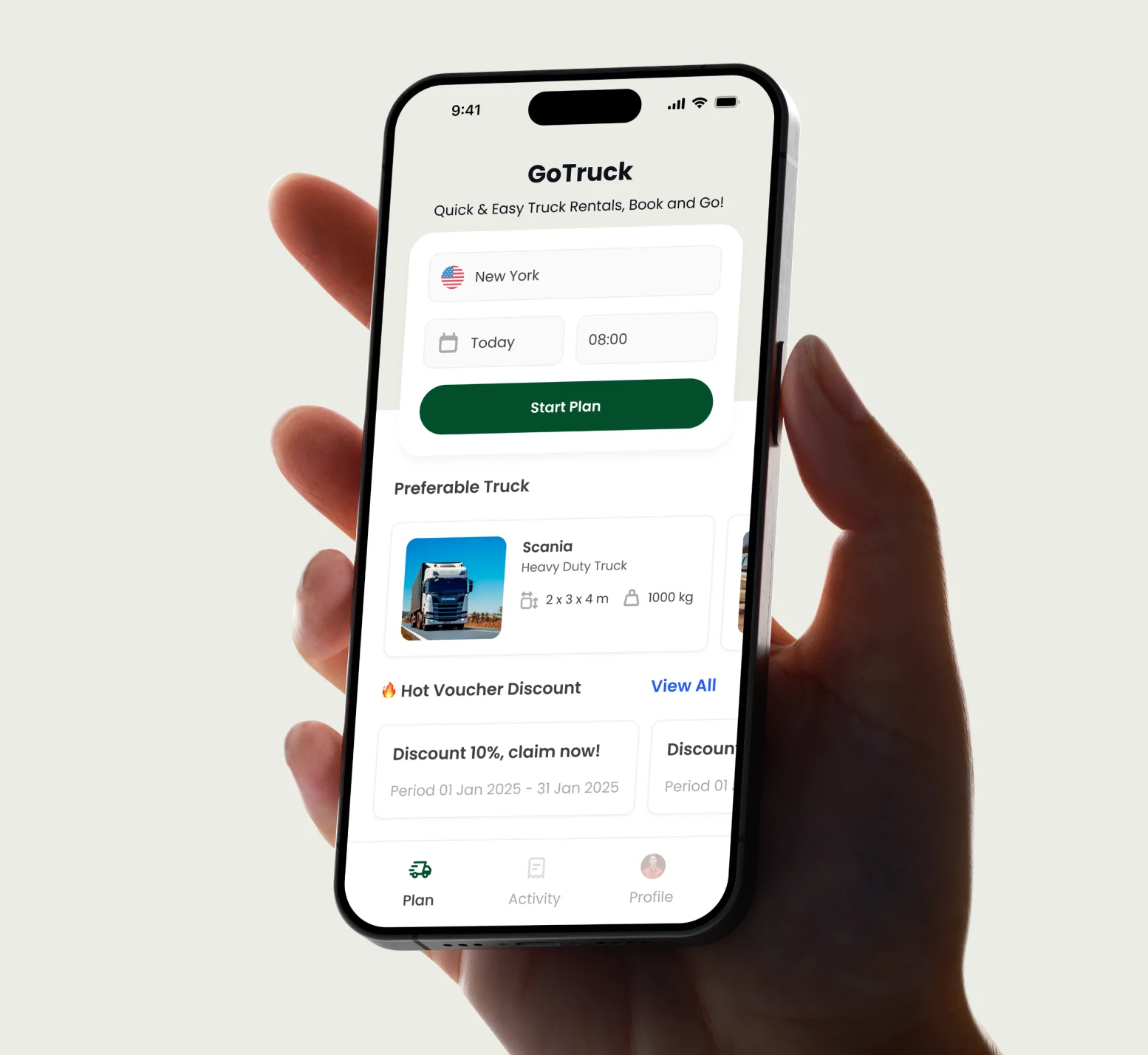
2.1 Cost-effective and fast to launch
SAAS solutions cost less upfront, so here are the perks :
- Ideal for new or lean operations.
- Clear pricing, fast onboarding.
- Limited need for internal IT resources.
2.2 Built-in features you probably need
SAAS solutions come with essential features that most logistics businesses need such as :
- Fleet & shipment tracking
- Barcode scanning
- Route planning
- Notifications
- Standard API integrations
2.3 Built-in support
Built-in support comes standard, giving your IT team one less thing to worry about. Typically, you get:
- Bug fixes and security patches
- Customer support
- Regular updates
Research from Gartner and IDC points out that SAAS platforms(logistics tools included) leave the heavy lifting on the vendor's side. This way, the updates, the security and the maintenance are already handled.
The result? Less pressure on your internal IT resources and fewer infrastructure costs weighing you down.
3. Custom Developed Software
What is it?
Custom logistics software is a flexible assistant who has in mind your long term goals but also your team's struggles.
Every feature is built around your daily challenges and the unique flow of your business.This way you are always one step ahead.
Why custom is worth considering
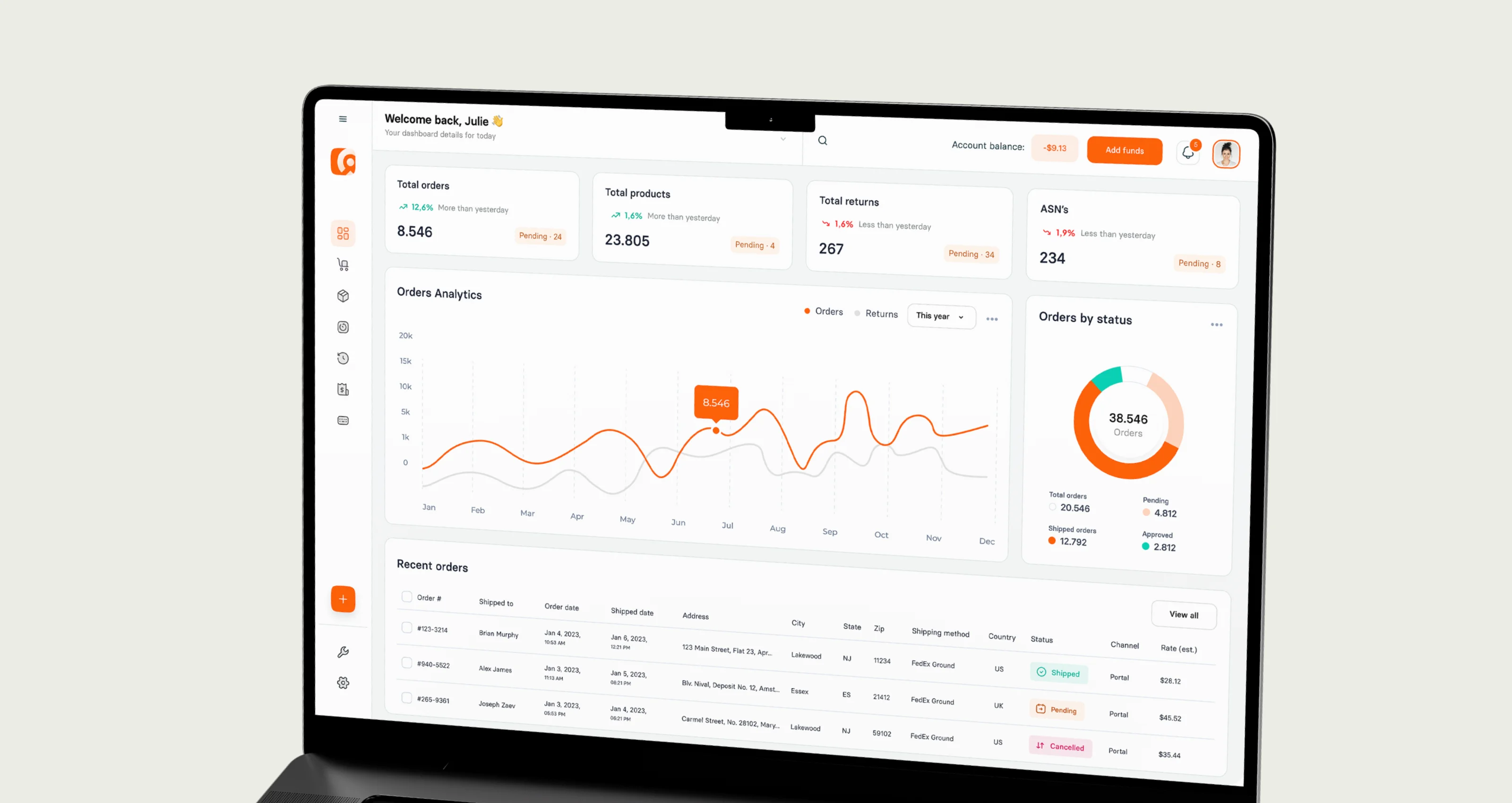
What about a software that is customized for your team's actual needs? From dispatchers to warehouse managers, drivers to finance teams, everyone sees what they are supposed to, no extra clutter.
Custom dashboards flip the script for you and your business.
Here’s what that looks like in practice:
3.1 Show each user only what matters to them
In logistics, roles are diverse and so are the decisions people make daily. A one-size-fits-all dashboard just won't do the trick.
With custom dashboards, you can adapt the interface based on role:
- Dispatchers get live vehicle tracking, ETAs, route exceptions and driver performance.
- Warehouse managers see real-time inventory levels, pick-pack-ship stats and inbound/outbound order flow.
- Fleet managers monitor fuel usage, maintenance alerts and driver safety data.
- Executives see high-level KPIs like cost per mile, SLA compliance and customer satisfaction trends.
No noise. No distraction. Just the right info at the right time for each user.
3.2 Visualize KPIs that actually drive your logistics performance
With a custom dashboard, you're tracking the metrics that impact directly your dayly operations, simple and straightforward.
Whether you're focused on:
- Reducing driver idle time
- Improving dock-to-stock time
- Maximizing trailer utilization
- Monitoring last-mile success rates
- Boosting warehouse pick accuracy
…a tailored UI makes it easy to track those numbers and act on them fast. No more hunting through filters or exporting data into spreadsheets to figure out what's happening.
3.3 Evolve your dashboards as your business scales
Scaling logistics operations should be about handling more complexity without creating chaos.
Custom dashboards grow with you:
- Expanding into new regions? Add geo-specific KPIs.
- Automating warehouses? Visualize robotics efficiency and throughput in real time.
- Adding cross-border freight? Include customs clearance statuses, international tracking and currency fluctuations.
As your operations expand your platform needs to flex with it.
With custom software, you have this covered from the jump. Want to onboard a new carrier network? Launch cross-border freight services? The flexibility is already there: no delays, no vendor backlog.

-
4. UX/UI in Logistics software
When you’re managing logistics, time is money.
Every second counts, so your software’s UX/UI needs to help your team move faster, make fewer mistakes and stay focused on the job.
Let’s break down why great design really matters.
SAAS: Easy to Start, But Not Always Easy to Love
SAAS software promises quick setup, but often falls short when it comes to logistics needs:
- One-Size-Fits-All Design: You get features you don’t need and miss the ones you do. Your team wastes time clicking around.
- Cluttered Workflows: Too many steps and clicks slow down the process, impacting efficiency.
- Learning Curve: These solutions may require extra training
Custom Software UX/UI: Designed around your business
This is where custom solutions shine. Good UX/UI can be both: operational and pretty.
Custom Solutions: Tailored to Your Team, Built for Your Needs
Custom software lines up with your real day-to-day needs. Here’s what that looks like:
- Role-Based Dashboards: Each person sees only the information that matters to their job. Just quick, clear data they can act on right away.
- Streamlined Processes: Your workflows are built around your system. Tasks get automated, extra steps disappear and your team moves faster with less manual work.
- Real-Time Alerts & Mobile-First Design: Instant notifications and mobile-friendly screens keep your team updated and responsive, whether they’re in the warehouse, on the road or at their desk.
When your software lines up with your real processes, your team stops wrestling with tools and starts getting more done: accurately and fast.
Let’s now dive into how great dashboards can transform your team’s workflow.
5. Why Logistics leaders should care about UX now
Modern logistics relies on speed, clarity and precision. Strong UX supports all three by helping teams make faster decisions and move through workflows with less friction:
- 2x higher user adoption with intuitive dashboards
- 50% faster onboarding
- Reduced human error
- Fewer support tickets and training sessions
By prioritizing user-friendly design, logistics leaders can unlock huge operational gains.
When your team can easily navigate systems, tasks get done faster and mistakes are minimized.
A simple, intuitive dashboard helps warehouse managers and drivers stay focused on what matters: getting things done efficiently, without getting stuck in complicated software.
In short: investing in strong UX/UI delivers better performance and a team that gets more done with fewer disruptions.

6. Which one should you choose?
SAAS
- Cost: Low upfront cost, subscription-based pricing
- Speed: Fast implementation, typically within days to weeks
- Customization: Limited flexibility for specific needs
- UX/UI: Generic interfaces, may require workarounds for your team's needs
- Scalability: Good for small to medium-sized operations but may struggle with complex or growing businesses
Custom Solution
- Cost: Higher initial investment, but more tailored for long-term ROI
- Speed: Longer build and launch time, usually a few months
- Customization: Fully customizable to your exact logistics workflows
- UX/UI: Tailored to your team’s specific needs, roles and tasks, offering smoother workflows
- Scalability: Scales easily with business growth, as it’s designed with future needs in mind

7. Choosing the right software starts with your goals
Need to launch quickly and keep costs tight? Start with SAAS.
Looking to scale, streamline and give your team a real decision-making edge? Custom software with role-based dashboards and a UX that fits your flow; that’s the strategic move.
Want to find out why your team isn't getting the insights they need from your current dashboard?
To gather more info on dashboard design strategies that will help your busines grow,
check out our other article: Smarter Logistics Dashboard Design for Faster Decisions.


.webp)
.webp)
